Case study

Optimum SolutionTablet job sheet

A digital job sheet that works on a tablet, even offline, for the technicians of a heating, air-conditioning and swimming pool company.

My role
Design and development of a custom business tool
Sector
Heating, air conditioning & pools
Tech
WordPress
Bordereau d’intervention Optimum Solution sur iPad

The project

Optimum Solution installs and services heating systems, air conditioning and swimming pools in Wallonia.

Every job ended with a paper job sheet, filled in on site and brought back to the office. Damaged sheets, hard-to-read handwriting, details typed up again by hand… The goal was to go digital without changing the technicians’ habits.

The form follows the exact order of the paper sheet. Technicians feel at home from day one, on the iPad they already carry.

What the tool does

  • Client signs with a finger

    The client signs directly on the tablet at the end of the job.

  • Automatically numbered PDF

    Each job sheet becomes a PDF matching the paper template, with a unique number.

  • Sent to the client and the office

    The PDF is emailed to both at once, with no extra step.

  • Secure archive

    Every job sheet is stored safely, out of public reach.

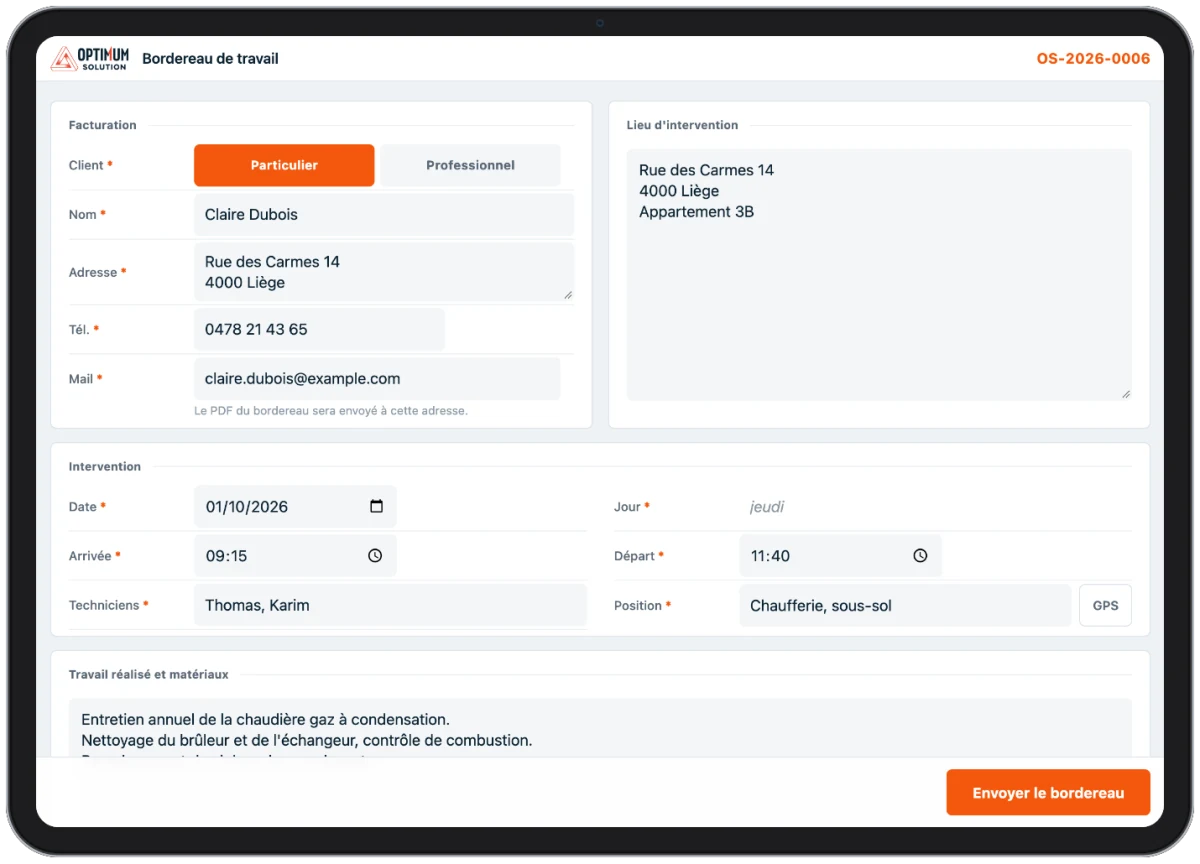
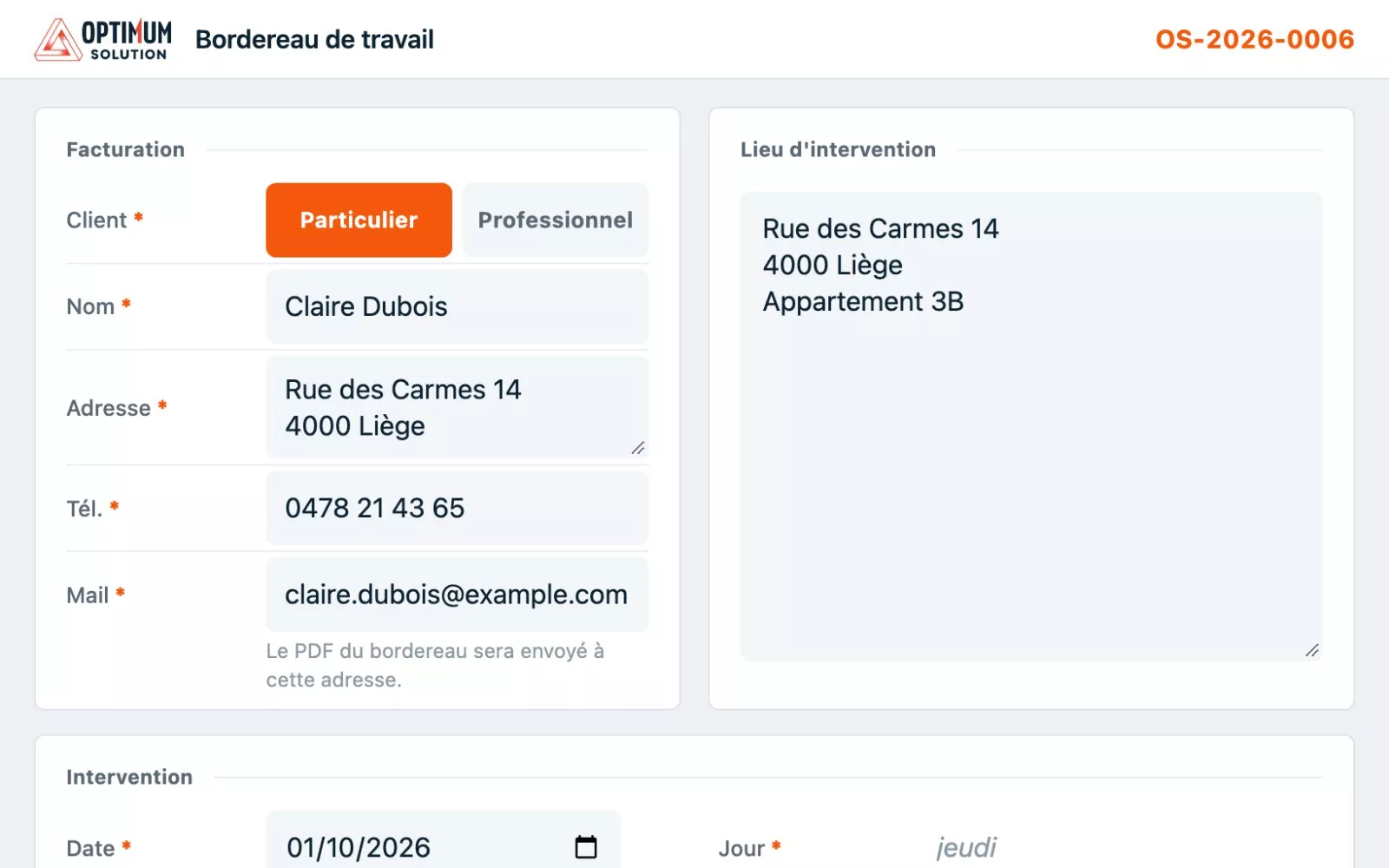
  1. Formulaire du bordereau sur iPad, rempli avec des données fictives 01

    A form modelled on the paper sheet

    Fields follow the order of the paper job sheet, with short labels and comfortable touch targets on iPad.

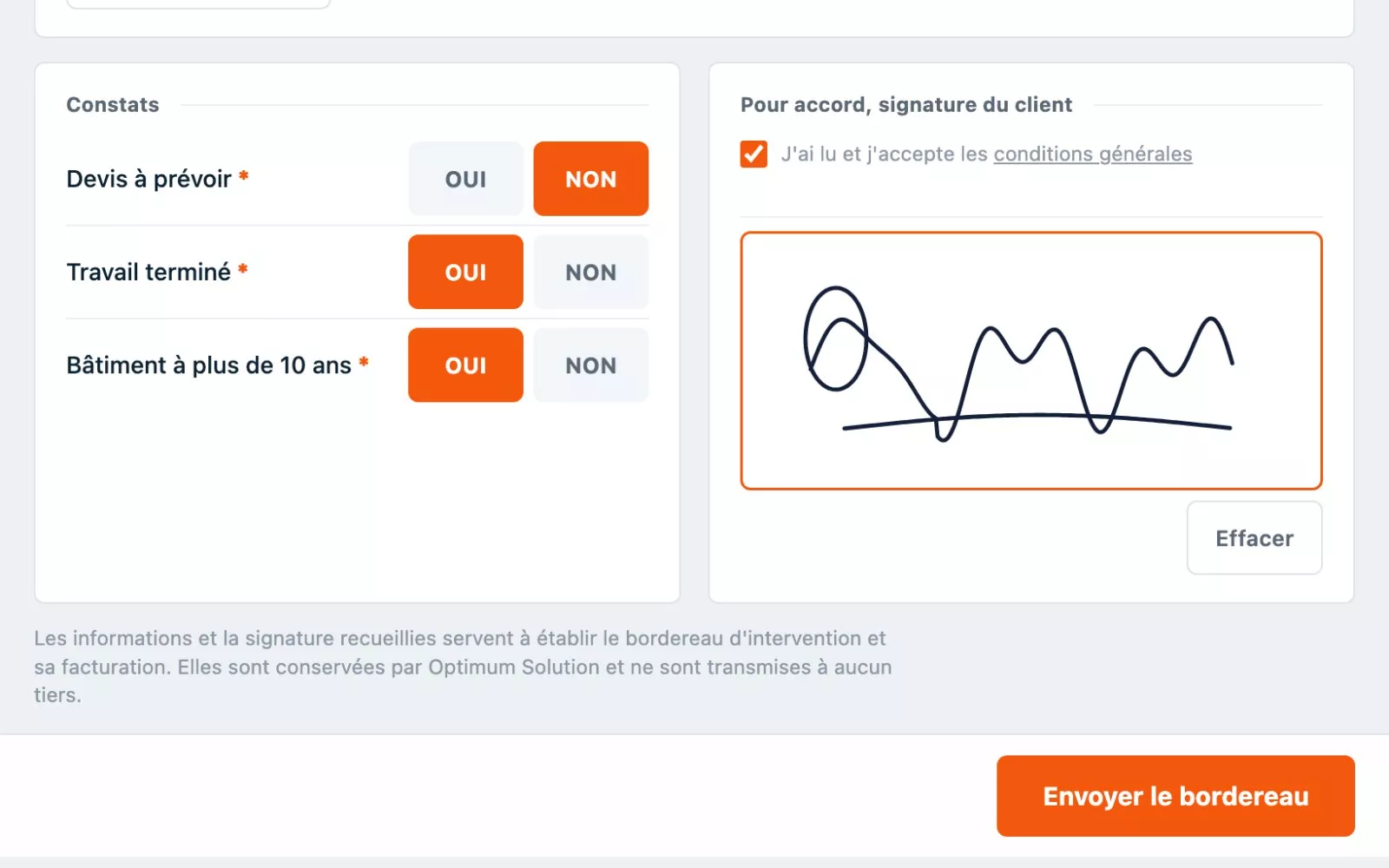
  2. Constats et signature du client sur la tablette 02

    Client signature on site

    Checks are ticked with a tap, then the client signs with a finger before sending.

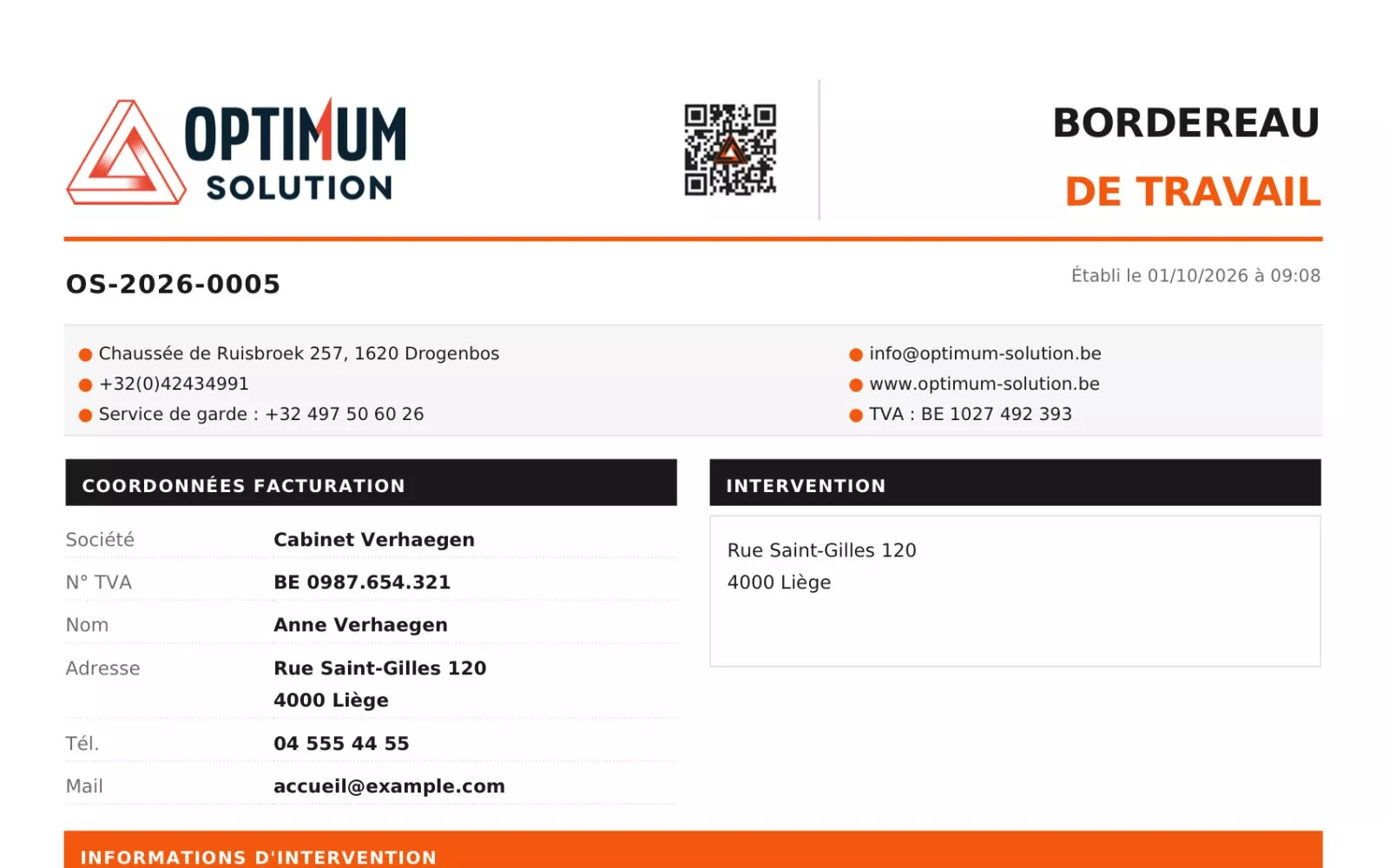
  3. PDF du bordereau généré automatiquement, numéroté OS-2026-0005 03

    A PDF ready to send

    The job sheet becomes a numbered PDF matching the paper template, sent to the client and the office.

Behind the scenes

Reliable, even in a basement

A field tool has to work everywhere. Several technical choices make sure it does.

Offline mode

With no signal, the job sheet is saved on the tablet. It is sent automatically as soon as the connection is back.

Nothing gets lost

The form saves as you type. A locked tablet or a page closed by mistake loses nothing.

No duplicate numbers

Numbers are assigned by the server, so two offline technicians can never get the same one.

Simple access

One shared access code. No account to create, no password to remember.

Feels like an app

Added to the iPad home screen, the job sheet opens like an app, without going through the browser.

Managed in WordPress

At the office, everything happens in the familiar WordPress admin. Job sheet list, search, PDFs, resending an email and exports in a few clicks.

Result

No more paperwork at the end of a job.

The job sheet is filled in, signed and sent before leaving the client. The office receives every job in real time, and the client keeps a clear record of the work done.

A project in the same spirit?

Tell me about your business in a few lines. I’ll get back to you within 24h with a first direction, no strings attached.

Let’s talk

More case studies

All projects

What if the next project were yours?

Tell me about your site. First chat free and no strings attached, reply within 24h.

Start a project